

In this article
The wind on the Southeast Ridge of Mt. Everest screams at 40mph, stripping heat from your layers faster than your body can generate it. At 8,848 meters, the ambient temperature hovers near -30°C, but the effective reality for exposed skin—and exposed electronics—is a brutal -50°C.
In this “High-Altitude Zone,” your smartphone is no longer a consumer convenience. It becomes a frozen brick of glass and lithium fighting a losing battle against thermodynamics.
Survival here, for both climber and device, is not about luck. It is about rigid adherence to a protocol that defies the physics of the environment. As an experienced Everest guide, I have seen sophisticated electronics fail in minutes, leaving mountaineers without navigation or communication when they needed it most.
This guide moves beyond theory. We will engineer a system to keep your digital lifeline intact from Camp IV to the roof of the world.
What is the Reality of Electronic Survival Above 8,000 Meters?
How Long Do Phones Last on the Summit of Everest?
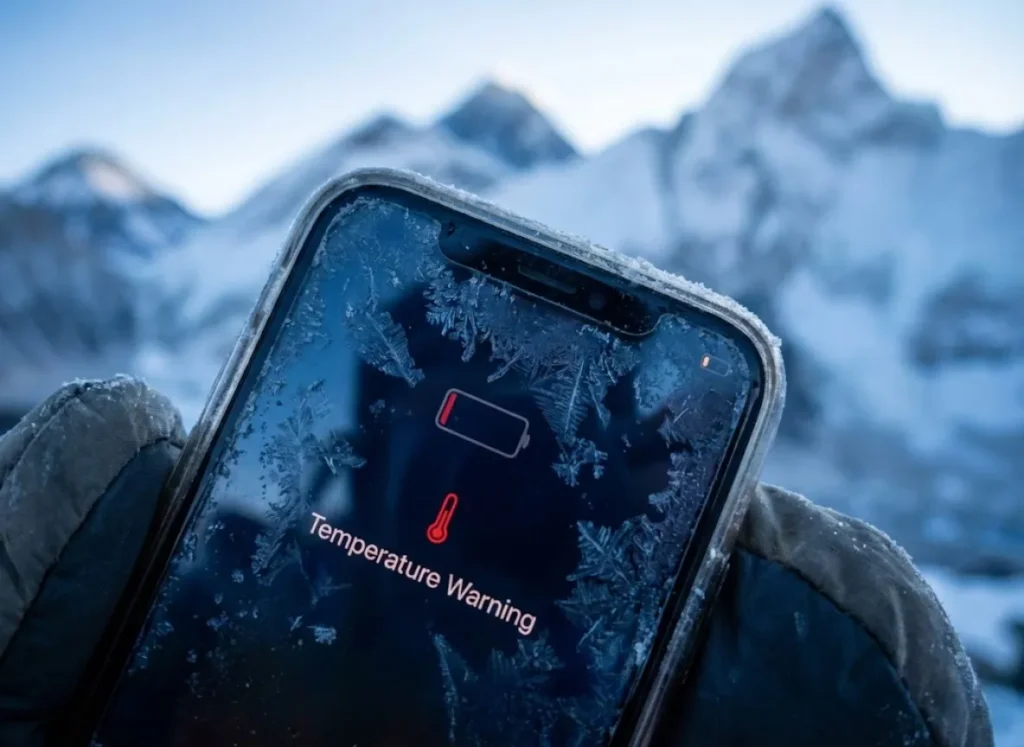
Without strict thermal insulation, a modern smartphone exposed to the ambient air at the Mt. Everest summit will function for approximately 10 to 30 minutes before shutting down.
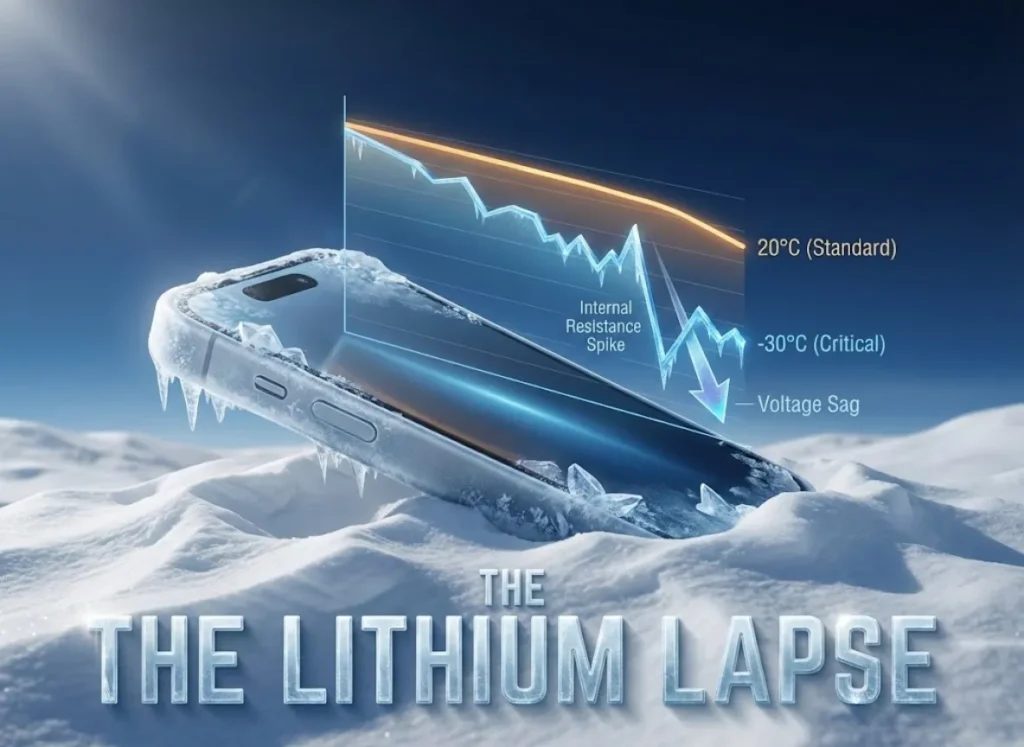
This rapid failure is rarely due to a truly empty battery. Instead, it is a protective mechanism triggered by the device’s Power Management Integrated Circuit (PMIC). The extreme cold causes a spike in the Internal Resistance (IR) of the Lithium-ion battery. This prevents it from delivering the voltage required by the processor, forcing a sudden shutdown even if the battery percentage reads 80%.
However, this timeline changes if you treat the device as part of your complete ice climbing gear system. If the phone is kept inside a down suit (the “Body Battery” method) and only exposed for 30-second bursts, it can remain operational for the entire summit push (6-12 hours).
Wind chill accelerates the cooling of the device’s chassis. A phone held in the hand freezes significantly faster than one mounted on a tripod due to conductive loss through the glove materials. Critically, once a device shuts down from cold—a state often called battery hypothermia—it often retains 40-60% of its chemical energy. Climbers can often “recover” this energy by warming the device against the skin for 10-15 minutes, consistent with experimental studies of electronics cooling capabilities.
Why Do Lithium-Ion Batteries Collapse in the Cold?
Lithium-ion chemistry relies on a liquid or gel electrolyte to shuttle ions between the cathode and anode. As temperatures drop below -20°C, this electrolyte becomes viscous, behaving more like molasses than water.
The increased viscosity drastically reduces ionic mobility. Under Ohm’s Law (Voltage = Current x Resistance), this causes the voltage drop at the terminals to be precipitous under load. High-drain tasks, such as 4K video recording or searching for a satellite signal, exacerbate this drop. The internal resistance skyrockets, triggering an immediate system crash.
Pro-Tip: Never attempt to charge a frozen phone. Bringing a power bank to a cold device is a recipe for chemical disaster.
Attempting to charge a battery that is below 0°C can cause metallic lithium to plate onto the anode. This is known as Dendrite Formation. These microscopic spikes can pierce the separator and cause thermal runaway, a risk detailed in government research regarding lithium plating on the anode.
Climbers must strictly avoid connecting power banks to cold phones. Devices must be warmed inside a sleeping bag or suit before charging is attempted. While solid state batteries promise to solve this, current survival depends on managing viscosity during the acclimatization process at Camp 1 and beyond.
What Are the Hardware Vulnerabilities in the Convection Void?
How Does the “Convection Void” Affect Electronics?
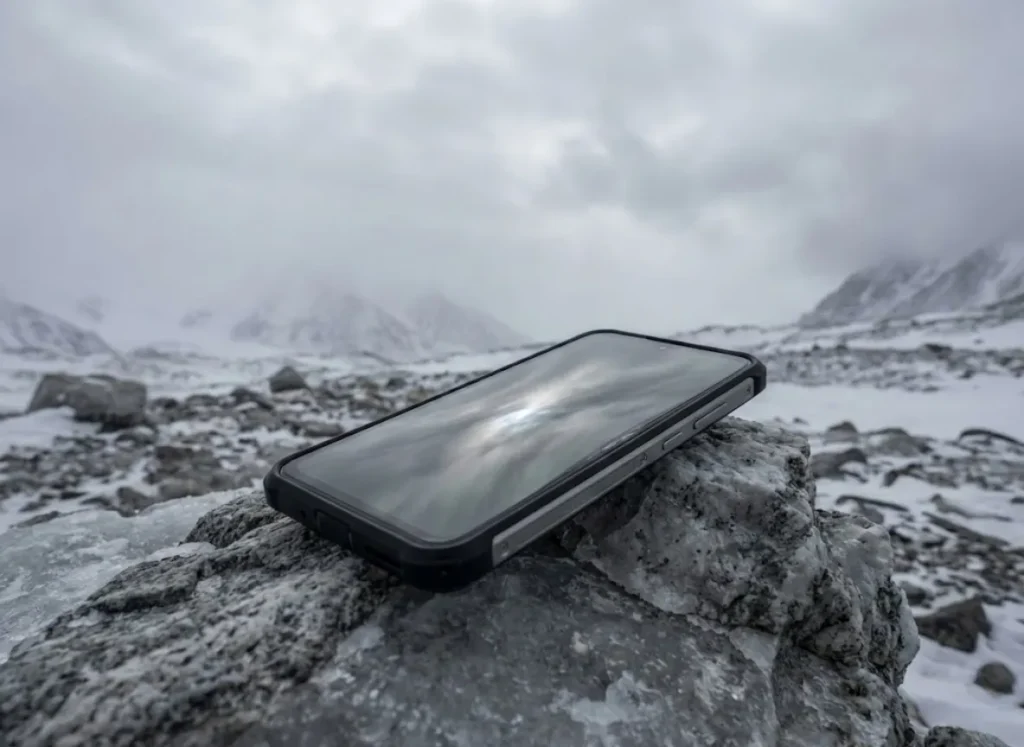
At 8,848m, air density is roughly 35% of sea level. This creates a “Convection Void” where there are fewer air molecules available to carry heat away from the device, drastically altering cooling efficiency.
This creates a paradox. While the external environment is freezing, a processor working hard—such as processing RAW photos or running GPS devices—can overheat internally because it cannot dissipate its waste heat. Thermal throttling can occur even in sub-zero temps if the device is heavily insulated inside a down suit while performing intensive tasks.
The reduced dielectric strength of the thin air also increases the risk of electrical arcing between closely spaced components. Furthermore, as verified by physics data regarding the convective heat transfer coefficient, air cooling fails at low density.
To mitigate this, shoot video in 1080p rather than 4K/60fps. This reduces the thermal load on the processor during the ascent to Camp 4 on the South Col, preventing internal heat buildup that cannot escape.
Why Do Screens and Seals Fail at Altitude?
Standard LCD screens rely on liquid crystals that can freeze or become sluggish, leading to screen ghosting at temperatures below -20°C. Touchscreen unresponsiveness is common. OLED screens are superior here, as they emit light directly and lack this liquid layer.
However, the physical construction faces a different threat. Smartphones are assembled at sea level pressures (approx. 1013 hPa). At the summit (approx. 330 hPa), the air trapped inside the device pushes outward with significant force. This air pressure impact can cause “ballooning,” where the screen lifts slightly from the frame, compromising waterproof seals.
The real danger peaks during the descent. If a seal fails at the South Summit, the device equalizes to low pressure. Descending back to thick air creates a vacuum effect.
This vacuum sucks moisture-laden air or melted snow into the device, leading to corrosion days later. This is similar to the lens mechanism freezing seen in mechanical DSLR or point & shoot cameras. Climbers should reference wind chill safety charts to understand the stresses involved and prioritize devices with robust IP68 ratings.
Which Devices Survive the Summit? (The Hardware Matrix)
Why is the Stylus a Critical Survival Tool?
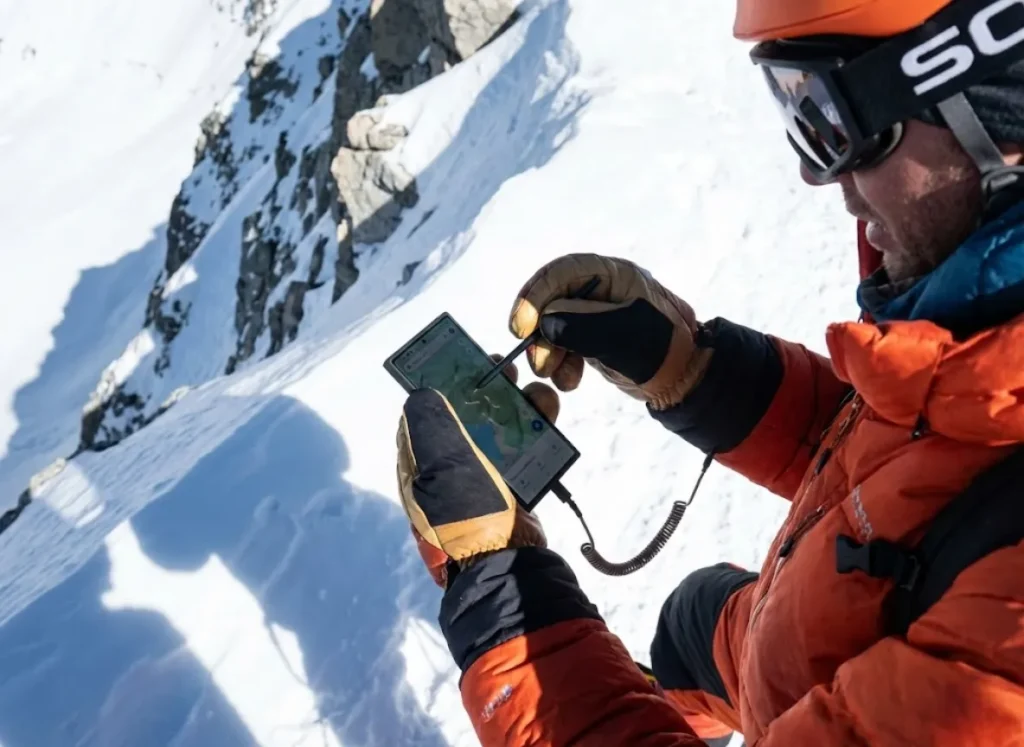
The Samsung Galaxy S24 Ultra dominates the high-altitude mountaineering niche primarily due to the S-Pen stylus.
Frostbite can occur on exposed fingers in less than 5 minutes. Removing mittens to use a capacitive touchscreen is a severe safety violation. The stylus allows the climber to operate the interface—adjusting exposure, checking GPS, or typing SOS messages—while keeping thick down mittens on. This maintains dexterity without risking injury.
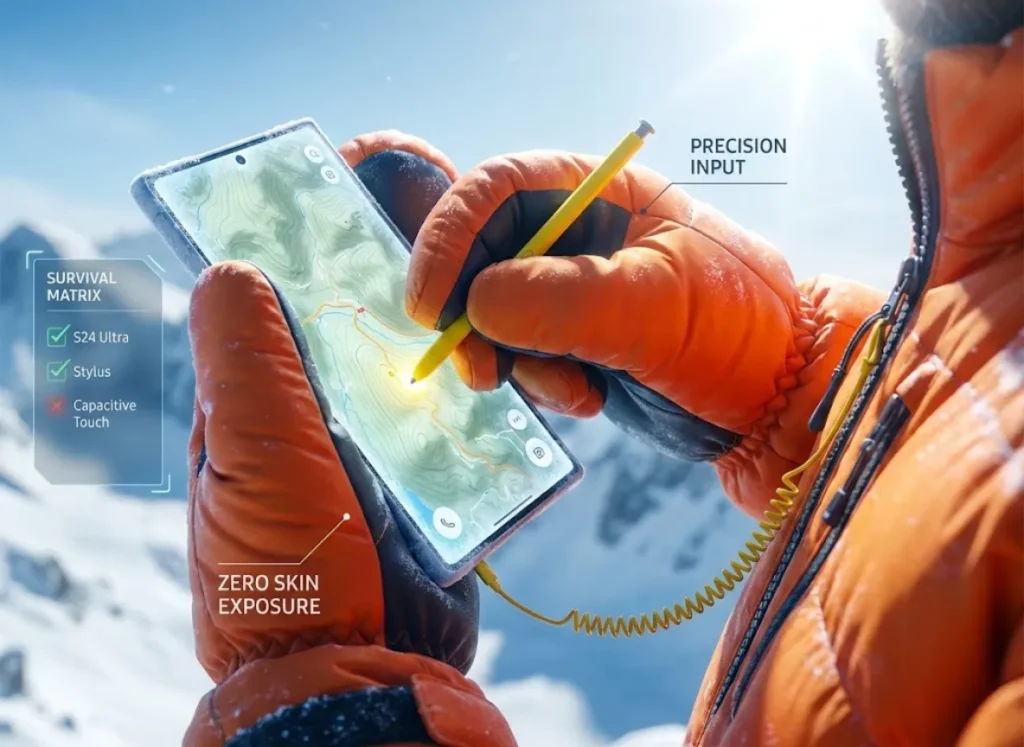
This capability must be secured with a Tethering Protocol. A stylus is useless if dropped into the snow on the Khumbu Icefall. It must be tethered to a zipper pull using a retractable cord or high-strength fishing line.
For iPhone users lacking a stylus, the “Nose Command” method or voice commands are the only viable hands-free options. This limitation makes stylus-equipped devices a more logical choice when selecting essential climbing gear.
What is the Role of Satellite Redundancy?
Cellular coverage (5G) exists on Everest but is line-of-sight dependent. Being in a crevasse or behind the Geneva Spur cuts the signal immediately.
The iPhone 15/16 Pro Max offers native satellite SOS, providing a secondary layer of safety if the terrestrial grid fails. However, essential satellite phones like the Garmin inReach Mini 2 remain mandatory. They offer superior battery life (weeks vs. hours) and access to the reliable Iridium network.
The “Summit Comm Protocol” dictates using the Garmin for tracking and expedition logistics. Reserve the phone for high-bandwidth tasks like once-in-a-lifetime summit photos.
Climbers must understand that a “working phone” does not guarantee physical rescue. Helicopters rarely land above Camp II due to thin air. Digital connectivity provides meteorological data, but self-reliance remains primary. When budgeting for Everest expenses, the cost of redundant satellite communication is non-negotiable.
The Summit Comm Protocol: A Step-by-Step System
Phase 1: Storage and Thermal Layering
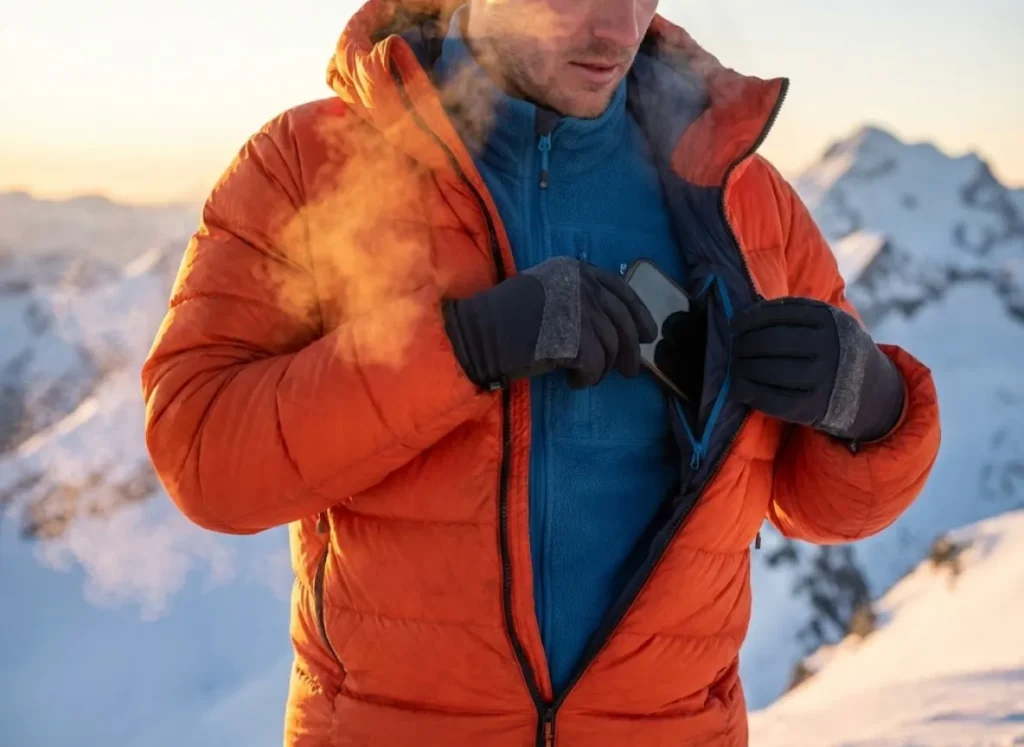
The Internal Pocket Rule is absolute: The phone must be stored in the inner chest pocket of the base layer or mid-layer fleece, such as a Patagonia R1 Hoody, inside the down summit suit.
Storing it in the outer down suit pocket insulates it from the cold air but also isolates it from your body heat. This leads to rapid freezing. Using a thermal phone cover (like PHOOZY) helps regulate temperature spikes and prevents sweat condensation from damaging the charging port.
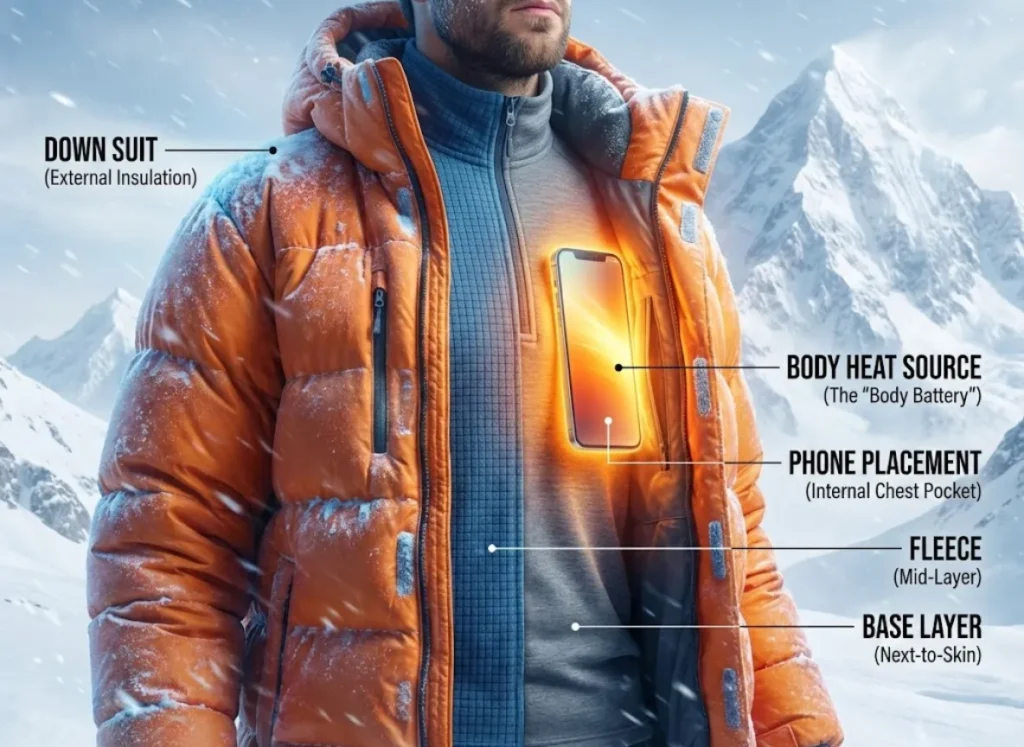
You are the “Body Battery.” Placing a cold phone in your armpit or groin area can revive a “dead” battery by lowering electrolyte viscosity. This body heat storage technique is vital.
Pro-Tip: Do not use chemical hand warmers directly against the phone.
Research indicates that hand warmers require oxygen to function. This is a scarce resource above 8,000m, making them unreliable. If they do ignite, they can create hot spots that melt adhesives. Just as you must manage your body to prevent altitude sickness, you must manage the thermal environment of your gear using your own metabolic output.
Phase 2: Input and Power Hygiene
The 30-Second Rule governs all usage during the summit window. Limit device exposure to 30-second bursts: Unzip, Capture/Check, and Re-zip immediately. This prevents deep cooling of the chassis.
Airplane Mode is Mandatory. Above Base Camp, the phone wastes massive energy “handshaking” with distant terrestrial towers. Keep it in Airplane Mode until the exact moment of use. Disable background app refresh and lower screen brightness to minimum viable levels to reduce the battery drain.
Shoot video in 1080p/60fps instead of 4K. High-resolution processing generates internal heat that cannot dissipate in the extreme environments, risking thermal shutdown.
Adhere to the “No-Skin” Rule. Never expose bare skin to operate a screen. If the stylus fails, use your nose. Prioritize the “Summit Selfie” only after safety checks are complete. “Cognitive tunneling” on a screen has caused fatal errors, a result of combined cognitive impairment and physical exhaustion. This level of discipline requires mental fortitude and preparation, skills honed on lower peaks long before the Himalayas.
Final Debrief
Survival in the High-Altitude Zone requires turning theoretical knowledge into rigid habits.
- Smartphones will shut down in 10-30 minutes if exposed, due to battery chemistry, not lack of charge.
- The Inner Pocket Rule utilizes your body heat to keep electrolytes fluid.
- Stylus input is a safety feature that prevents frostbite.
- Satellite redundancy is mandatory; never rely solely on cell phone coverage.
Before your next expedition, test your thermal layering system on a lower peak. Refine your protocol where the air is thick, so it is second nature where the air is thin.
FAQ – Frequently Asked Questions
Is there 5G or Wi-Fi on the summit of Mount Everest?
Yes, there is sporadic 5G coverage on the summit provided by Everest Link towers at Base Camp and the North Col. However, it relies strictly on line-of-sight. WiFi bandwidth is often congested during summit days, and connection is never guaranteed.
Do phone batteries drain faster at high altitude?
Chemically, the battery holds the same charge. However, the accessible power drops because the cold increases internal resistance. This makes the battery appear to drain instantly. Warming it up will often recover the lost charge.
Can I use chemical hand warmers to keep my phone warm?
It is not recommended. Chemical warmers require oxygen to function, which is scarce above 8,000m. If they do work, they can create hot spots that melt internal glues. Body heat is a safer, more consistent source.
What is the best power bank for high-altitude climbing?
The Nitecore Summit 10000 is currently the gold standard. It features a carbon fiber shell and an auto-heating mode specifically designed for -40°C operation. Standard consumer power banks will likely freeze and fail to discharge.
Safety Notice: Rock climbing and mountaineering are inherently high-risk
activities that can involve physical trauma or fatal incidents. The information on Rock Climbing Realms is for
educational and informational purposes only. Techniques and advice presented here are not a substitute
for professional, hands-on instruction. Conditions and risks vary by location. Always seek guidance
from a qualified instructor before attempting new techniques. By using this website, you agree that you
are solely responsible for your own safety. Any reliance you place on this information is strictly
at your own risk, and you assume all liability for your actions. Rock Climbing Realms and its authors
will not be held liable for any harm, damage, or loss sustained in connection with the use of this information.
Affiliate Disclosure: We are a participant in the Amazon Services LLC Associates Program, an
affiliate advertising program designed to provide a means for us to earn advertising fees by advertising and linking
to Amazon.com. As an Amazon Associate, we earn from qualifying purchases. We are also an official affiliate partner
of Black Diamond Equipment via the AvantLink network. If you click on a Black Diamond affiliate link and make a
purchase, we may earn a commission at no additional cost to you. We also participate in other affiliate programs.
Additional terms are found in the terms of service.