
In this article
The battery indicator on my iPhone flashed 10% just as the alpine sun dipped below the Cirque of the Towers. We were three pitches from the summit, and our downloaded topo was the only thing standing between us and an unplanned bivy at 11,000 feet. I looked at my partner, then back at the fading screen, and realized we’d trusted our entire approach, our descent beta, and our route-finding to a device we’d never bothered to optimize for the backcountry.
After six months of putting nine different climbing apps through the grinder—at the gym, at the crag, and deep in the backcountry—I can tell you the “best climbing app” doesn’t exist. What exists is a system. A climbing tech stack built from three categories of software: Navigators, Loggers, and Training Architects. Get the right combination and your phone becomes a mission-critical tool. Get it wrong and you’re squinting at a blank screen while the sun disappears.
Here’s exactly how each app performed, where they failed, and how to build a stack that actually works when your hands are chalked up and the signal’s gone.
⚡ Quick Answer: There is no single best climbing app. The strongest setup is a tech stack of three tools: Rakkup for outdoor GPS navigation with turn-by-turn precision, KAYA or Sloper for logging sends and tracking stats, and Crimpd for structured, science-backed training. Pair this with a strict “Backcountry Mode” phone protocol to prevent battery drain from wrecking your navigation mid-approach.
The Navigator Stack: Digital Topography & GPS Precision
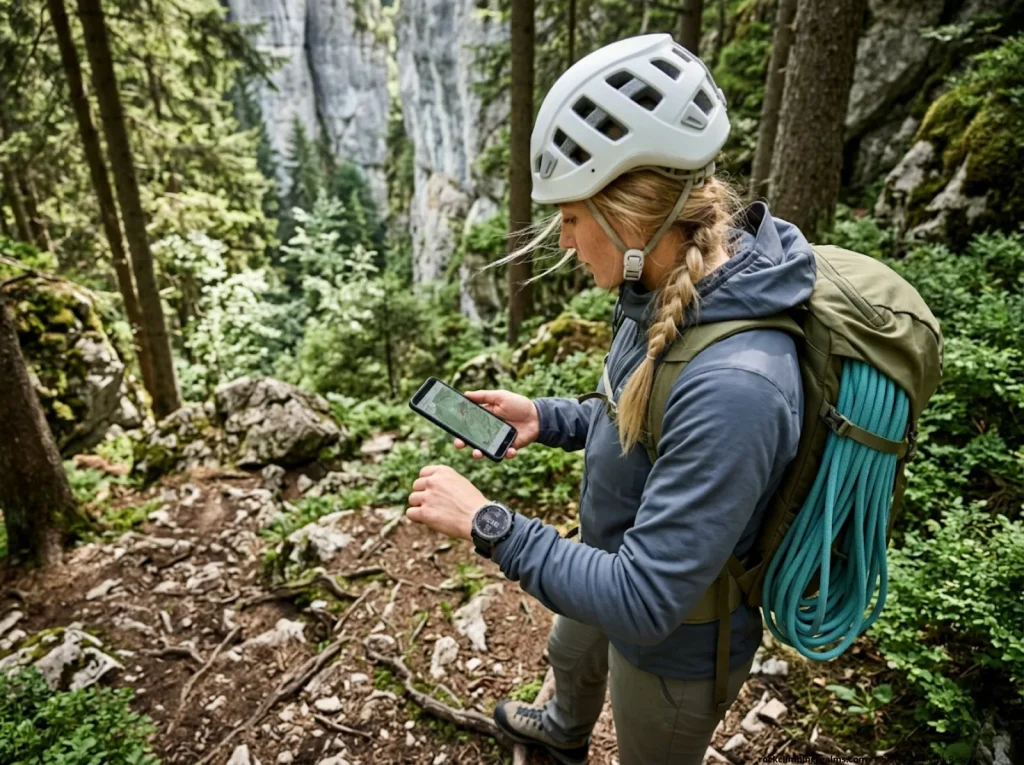
Rakkup: Turn-by-Turn Pathfinding and Visual Guidance
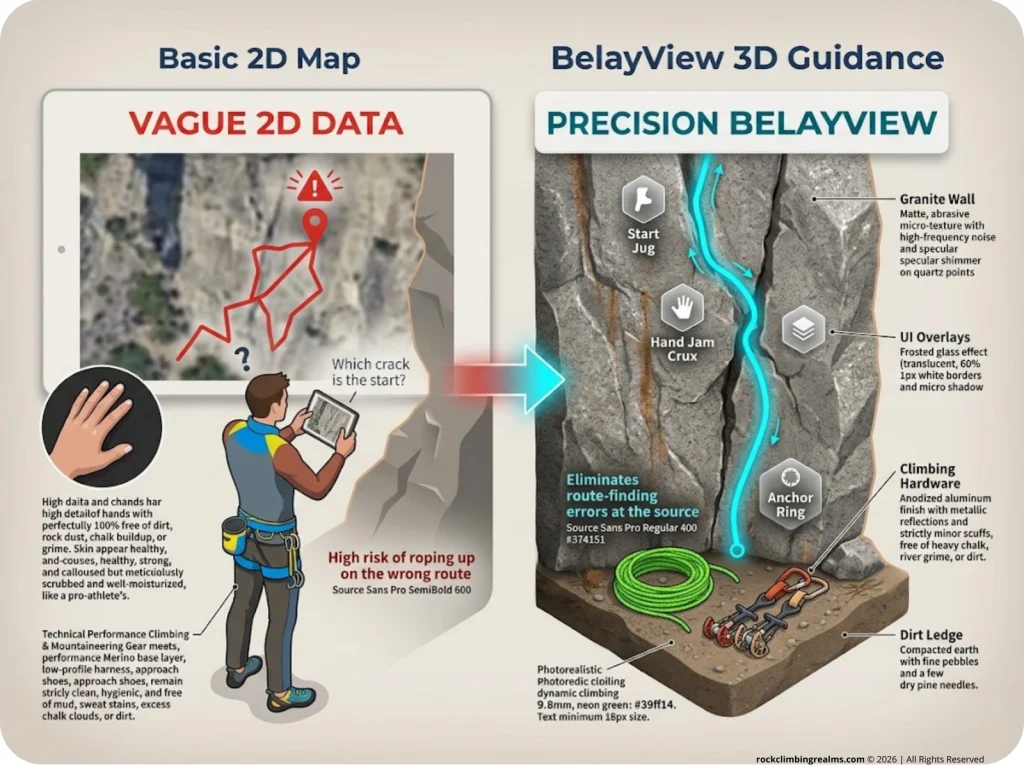
If you’re navigating complex approaches to remote trad lines, Rakkup is the sharpest tool on the market. Unlike apps that drop a red pin on a generic map and call it “directions,” Rakkup uses a proprietary shortest-trail engine that calculates the actual walking distance from your boots to the base of a specific route—including fourth- and fifth-class scrambling sections that Google Maps pretends don’t exist.
The feature that sold me is BelayView photography. Instead of a wide-angle photo of a massive cliff face where every crack looks the same, Rakkup shows you the route start from the belayer’s perspective. On a multi-pitch trad route where gear requirements change drastically between adjacent lines, starting the wrong climb is a mistake that can cost you hours or worse. BelayView cuts that risk down to near zero.
Rakkup uses a pay-per-guide model, with a smart two-month rental option at 50% of the purchase price. That accommodates the traveling climber who’s hitting Red Rock for a month without buying the whole guidebook outright. The trade-off? A sometimes clunky Android UI and occasional crashes during offline transitions. It’s not perfect, but for professional guidebook data and raw GPS navigation accuracy, nothing else comes close.
Mountain Project: The Crowdsourced Giant
Mountain Project remains the default. Over 155,000 routes, a massive community forum, and free state-by-state downloads make it the Wikipedia of climbing beta. If a raptor closure gets posted or a key hold breaks on your warm-up route, you’ll probably hear about it here first through crowd-sourced data reports.
But the wiki model cuts both ways. Grade opinions are subjective, anchor beta reflects someone else’s risk tolerance, and since onX acquired the platform, the community has watched features creep behind a paywall. Worse, the disappearing crags phenomenon is real—entire areas have been scrubbed from the platform due to land management sensitivities and wilderness closures without warning. If your local crag vanishes overnight, you don’t own that data. The server does.
Pro tip: Download your local area’s topo and forum threads to a PDF before you need them. If a crag disappears from Mountain Project, your cached data might be the only beta that survives.
27 Crags: The Premium Topo Revenue Model
For European and international climbing, 27 Crags covers over 10,000 areas with photo topos that frequently outclass Mountain Project’s text-heavy descriptions. Their business model directs 50% of premium subscription revenue back to local topo developers, which incentivizes high-quality, accurate guidebook data from people who actually climb at those crags.
The catch is GPS accuracy. Field reports from areas like bouldering in Castle Rock describe horizontal errors large enough to misidentify boulder problems entirely. The UI/UX is also frustrating—a default setting hides free content from premium users, which makes field discovery clunky when you’re trying to find a warmup fast.
The Logger Stack: Progression Analytics & Data Ownership
KAYA: The Multi-Disciplinary Beta Repository
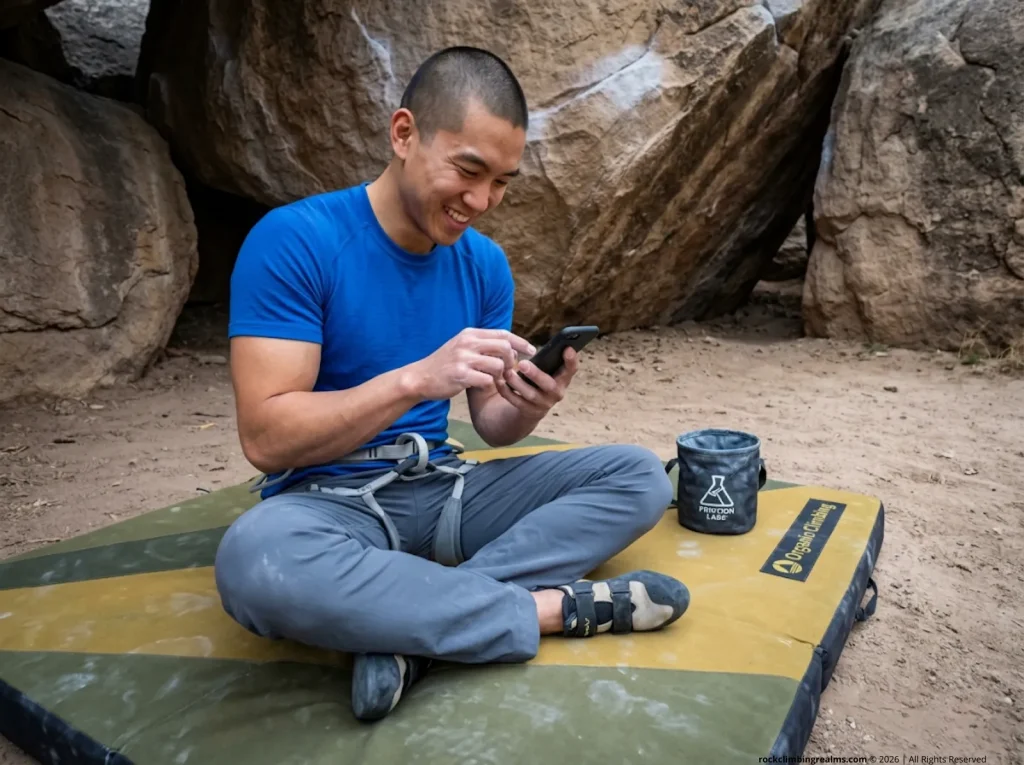
KAYA has become the go-to social and performance tracker for boulderers. Its library of over one million user-contributed video beta clips is the star feature, and you can filter those videos by the climber’s height and ape index to find movement sequences that actually match your frame.
The app integrates with over 300 gyms via the Plastick routesetting platform, pushing real-time notifications when your gym resets a wall. For outdoor use, KAYA Pro offers verified GPS guides for classic destinations like Bishop and Joe’s Valley. The downside is that all that high-bandwidth video content hammers older devices and wrecks offline reliability when you’re away from Wi-Fi. If you’re finding reliable climbing partners through KAYA’s community challenges and leaderboards, just know your phone is working overtime to keep up.
Pro tip: Log your outdoor sends at the crag using text-only mode, but hold off on uploading video beta until you’re back on Wi-Fi. That single habit will save you 30% battery life on a full day outside.
Vertical-Life: Bridging the Gym-to-Crag Gap
Vertical-Life owns a dominant position in European sport climbing, especially since merging with 8a.nu—the world’s largest longitudinal climbing logbook. That merger means your global ranking now runs through a unified scoring system that weights sends by difficulty and style across all grade scales—YDS, Font, and French. If you care about seeing where you stand against climbers across continents, this is the data pipeline.
The friction comes from a fussy UI and expiring digital codes from physical guidebooks. You buy a book, get a digital topo code, and six months later the code expires. For climbers who need both indoor gym maps and outdoor crag integration through a single interface, Vertical-Life fills the gap—but you’ll spend more time fighting the app than fighting gravity.
Sloper and the Privacy-First Movement
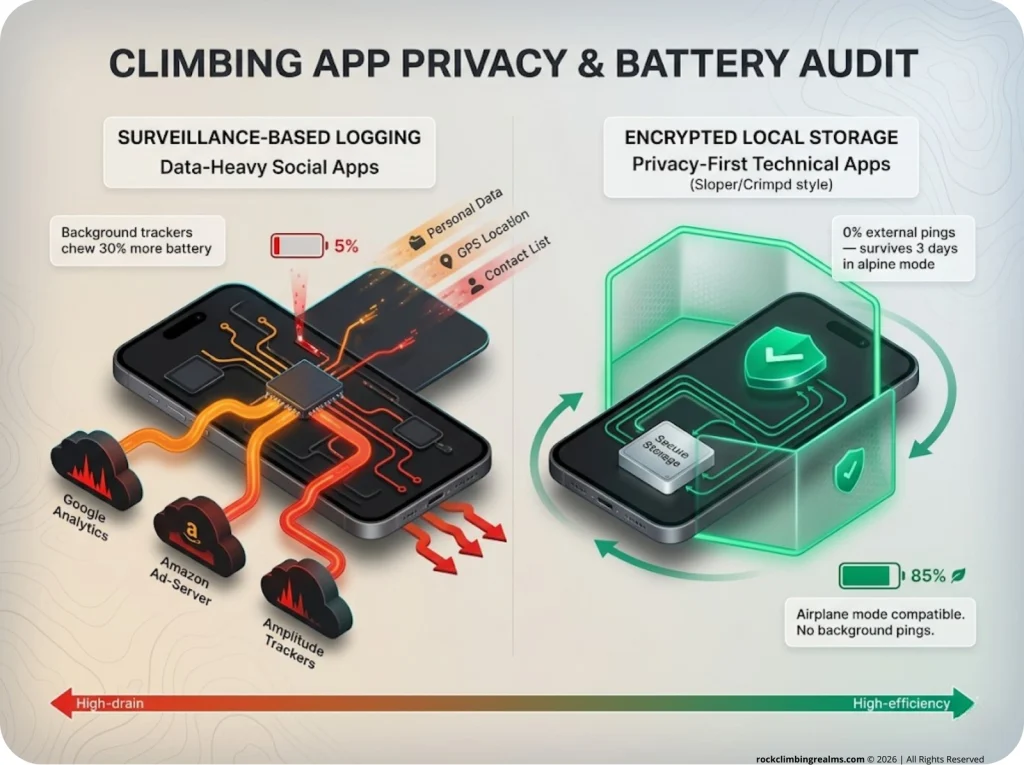
In a market saturated with social feeds and leaderboards, Sloper took the opposite approach: a pure logger that strips away everything except your personal data. No social pressure, no community rankings, no third-party advertisers. Just clean grade pyramids, Apple Health integration, and a strict “data not collected” policy from the developer.
For climbers with analytical or engineering backgrounds who want a locked-down, privacy-first tracking experience, Sloper is the only app that treats your progression data like it belongs to you. And only you.
The Training Architect: Physiological Protocols & Analytics

Crimpd: Lattice Training and Data-Informed Adaptation
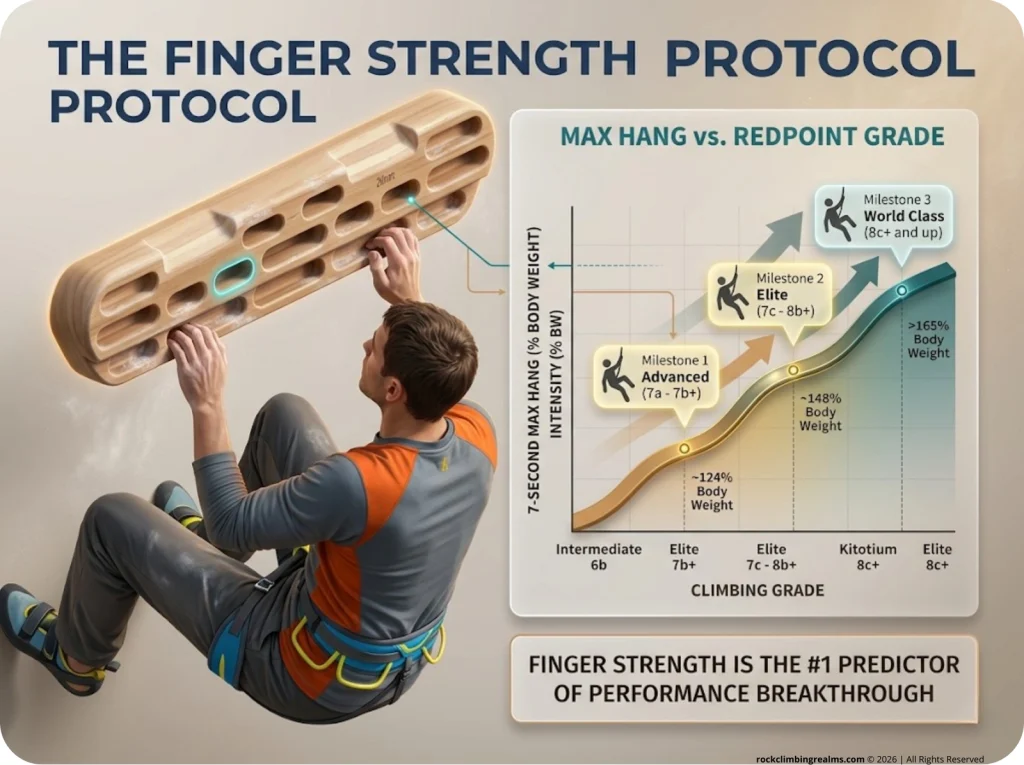
Crimpd is the training app for climbers who care about numbers. Developed by Tom Randall and Ollie Torr at Lattice Training, the app delivers a library of 75+ free and 200+ premium workouts built on a longitudinal dataset from over 50,000 tested climbers.
The key metric is the 7-Second Max Hang—the maximum load you can hold on a 20mm edge for seven seconds, expressed as a percentage of body weight. This single number is the strongest predictor of your climbing grade—a fact backed by research identifying key parameters of sport climbing performance. Elite sport climbers pushing 7c to 8b+ average around 148% body weight on this test, compared to roughly 124% for advanced climbers in the 7a to 7b+ range.
If you want to know exactly where you stand, run the test using proper finger strength testing protocols and then plug the result into Crimpd’s benchmarking system. The premium tier uses adaptive scheduling that shifts your program based on session feedback. It’s rigid and the terminology can overwhelm a beginner, but if you want analytics depth backed by real data, nothing else in the app market competes.
Beastmaker: Distraction-Free Fingerboard Timers
Sometimes you don’t want an AI coach. You just want a timer that’s visible from across the room while you’re mid-hang with taped fingers and chalk in your eyes. That’s Beastmaker. The app pairs with Beastmaker 1000 and 2000 fingerboards, delivering pre-built routines with large, readable countdown timers. No social feeds, no analytics dashboards, no distractions. Just finger strength work and hang time.
Pro tip: Mount your tablet or phone at eye level, not on the floor. You’ll keep your head neutral during max hangs instead of cranking your neck down to check the timer, which protects your spine and improves your form.
Stōkt vs. Retro Flash: The Logic of the Spray Wall
If you train on a spray wall, you need a management app. Stōkt is the current industry leader—Adam Ondra uses it—and its stand-out feature is an automatic mirroring algorithm that detects and highlights mirror problems on symmetrical walls via Bluetooth and LED board integration. That means balanced bilateral training without manually setting each problem twice.
Retro Flash is the scrappy open alternative with a faster UI and a non-discrete grading slider that lets you report exactly how “stiff” or “soft” a problem felt, rather than forcing it into the V-scale. Its “Folders” feature allows private storage of sequences for competition preparation, preventing FA poaching on your home wall. Stōkt charges $35+ per wall addition, while Retro Flash offers a free tier—so if you’re setting routes on your home wall and want spray wall customization without the price tag, Retro Flash is the move.
Hardware Constraints: The Physics of App Reliability
Topographic Interference and Multipath Errors
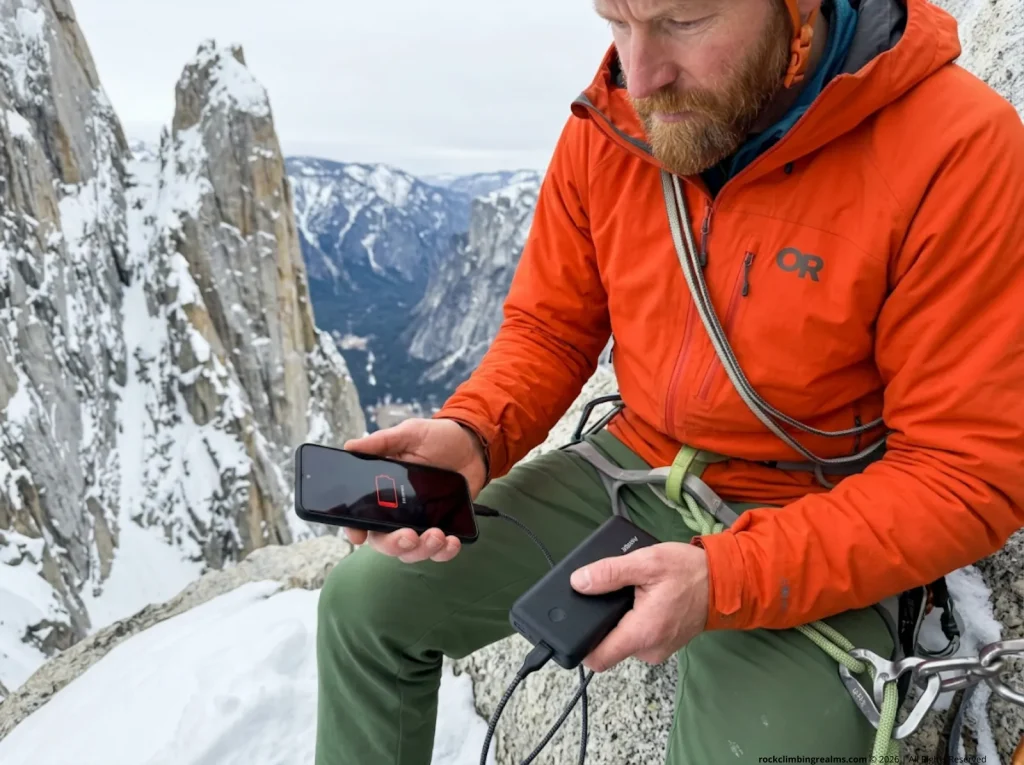
Your app is only as good as your phone’s ability to talk to satellites. In narrow limestone canyons or beneath steep granite walls, the rock itself reflects GPS signals back at your phone. These reflections—called multipath errors—cause your position to jump wildly on the map, and the phone burns extra battery trying to correct the noise.
Open alpine plateaus give clean signals. Deep slot canyons give garbage. Understanding that distinction matters more than which app you’re running.
The Metabolic Cost of Cellular Radios
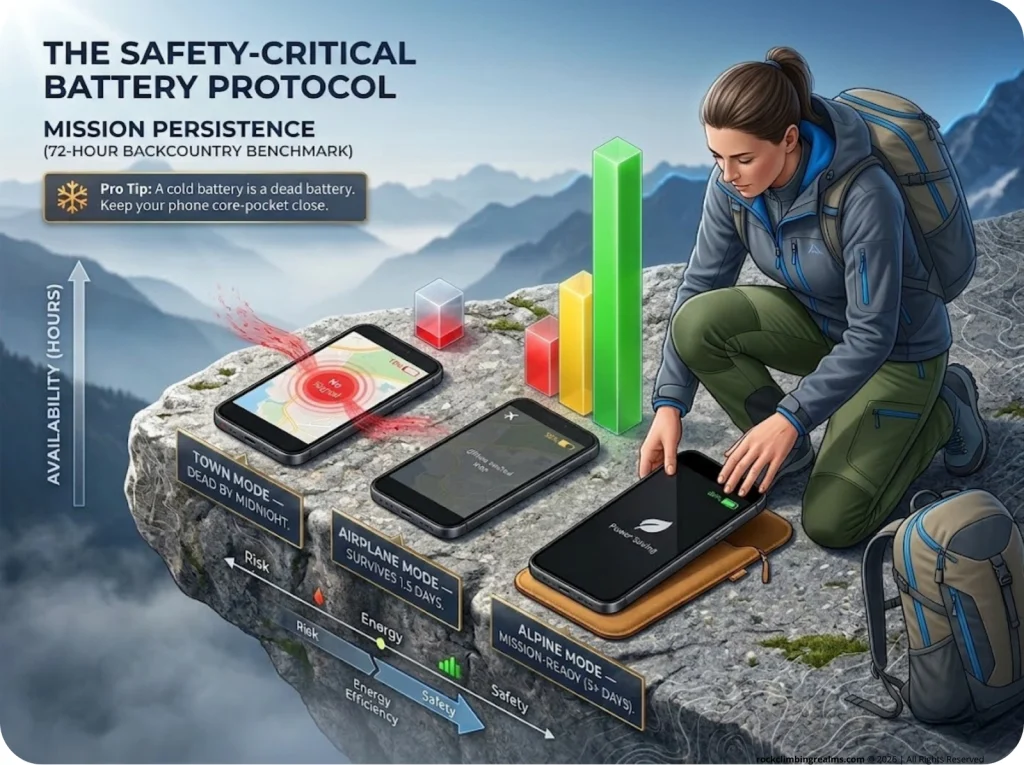
Here’s the number that matters: a smartphone running active GPS navigation chews through 10-15% of its battery every hour. But the real drain isn’t the GPS chip—it’s your cellular radio. When you’re in the backcountry with no cell towers, your phone continuously pings for a signal that doesn’t exist. Testing on identical hardware showed that a phone left in “Offline Mode” (radio still active) dropped from full charge to 10% in under three days. The same phone in Airplane Mode held at 87% after 24 hours.
That’s the difference between having navigation for your descent and not. The UIAA’s safety standards and climbing guidelines stress the importance of reliable navigation systems in mountaineering—your phone battery management is part of that safety chain.
The “Backcountry Mode” Protocol
Every climber heading into remote terrain needs this three-step protocol:
- Airplane Mode ON. Shut down the cellular radio before you leave the trailhead.
- Low Power Mode ON. Dim the screen. It’s the single biggest power drain on your device.
- Increase GPS sampling intervals. Apps like CalTopo let you shift from 1-second pings to 30-second pings, stretching battery life from 10 hours to several days.
Keep your phone in an interior pocket against your body. Lithium-ion batteries drop voltage sharply below 62°F, and a cold phone is a useless phone. If you’re packing for a multi-day objective, add a power bank to your essential gear for a climbing trip list alongside your rack and rope.
Pro tip: Cache all your topo maps on Wi-Fi the night before. An app that needs to download map tiles on a weak signal at the crag will shred your battery faster than a full day of active tracking.
The Future of Tracking: AI and Computer Vision
Pose Estimation and Object Detection
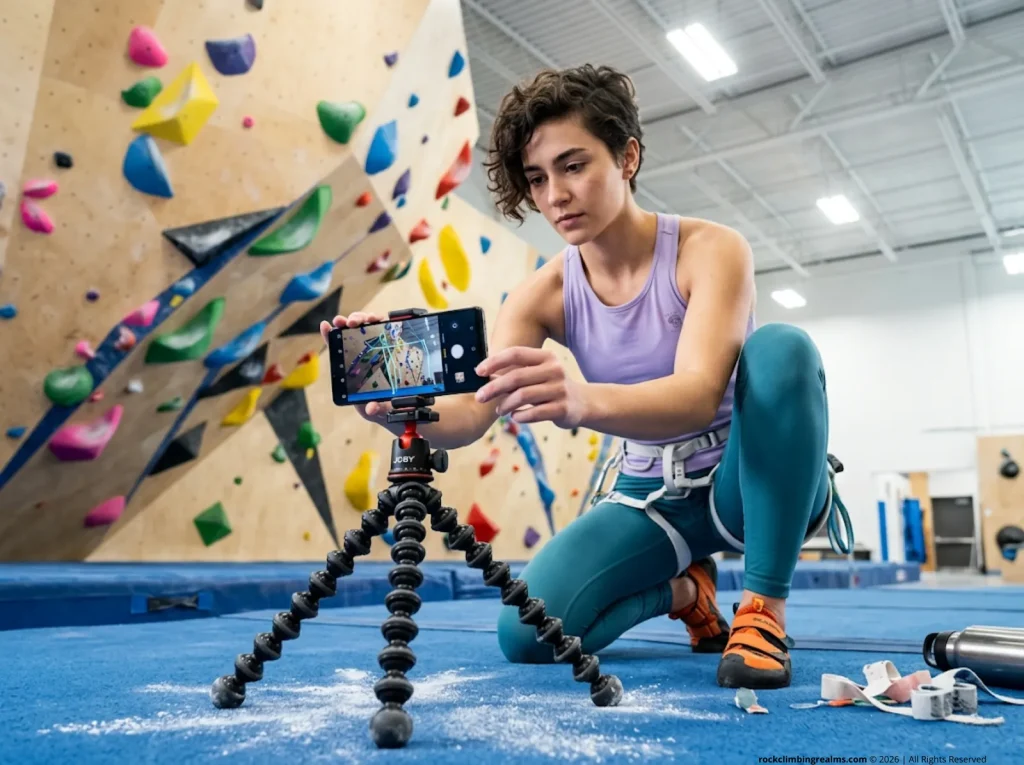
Manual send logging is living on borrowed time. Computer vision models already exist that can calculate your immobility ratio—a measure of climbing efficiency—by tracking your skeletal movement through a simple phone camera. Apps like AscentAI and Belay AI overlay real-time feedback on your position, showing you where your hips drifted, where your feet cut, and where you wasted energy.
The catch right now is the input: you need a stable, well-positioned camera angle. Prop your phone on a tripod at the gym and the data is solid. Hold it handheld and the output is useless for meaningful movement tracking.
Augmented Reality Navigation
The next logical step is moving these models outdoors. Imagine pointing your phone at a cliff face and seeing a “ghost” overlay of ideal movement patterns projected directly onto the rock through AR. It’s not science fiction—the components already exist in apps like PeakVisor. The integration timeline is a matter of processing power and battery efficiency catching up to the ambition.
For now, the action item is simpler: if you train indoors, set up a fixed camera and start collecting movement data. The climbers who adopt these analysis tools early will have a real advantage when the platforms mature.
Conclusion
The modern climber’s digital climbing ecosystem is as important as their rack. Stop treating your phone like a distraction and start treating it like a system. Build your stack around three roles: a Navigator for finding outdoor routes, a Logger for track progression, and a Training Architect for structured finger strength work.
Cache your maps tonight. Run the Backcountry Mode protocol before your next approach. And if you want to know whether your training is actually working, go hang on a 20mm edge for seven seconds and let the data tell the truth.
Now go send something.
FAQ
What is the most accurate climbing app for outdoor GPS?
Rakkup provides the most accurate turn-by-turn outdoor navigation using a proprietary shortest-trail engine. While Mountain Project offers a larger database depth, Rakkup’s professionally authored topographic data and BelayView photography minimize the risk of navigating to the wrong route start on complex multi-pitch approaches.
Do any climbing apps respect data privacy without selling info?
Sloper is the strongest option for privacy-conscious climbers. It operates with a strict data not collected philosophy and avoids third-party analytics, social feeds, and advertising integrations, keeping your progression metrics completely isolated.
Does Strava effectively track rock climbing?
Strava tracks elapsed time and heart rate but lacks the vertical-specific metrics that matter for climbing—like ascent style, grade logging, and send quality. You need a dedicated climbing app that understands the difference between an aerobic approach hike and an anaerobic max-effort boulder problem.
How do you prevent battery drain while tracking GPS on a climbing trip?
Switch to Airplane Mode before the trailhead, enable Low Power Mode, and cache all maps over Wi-Fi the night before. These three steps can stretch a standard smartphone battery from 12 hours to three full days in the backcountry. Add a compact power bank if you’re out for more than a day.
Safety Notice: Rock climbing and mountaineering are inherently high-risk
activities that can involve physical trauma or fatal incidents. The information on Rock Climbing Realms is for
educational and informational purposes only. Techniques and advice presented here are not a substitute
for professional, hands-on instruction. Conditions and risks vary by location. Always seek guidance
from a qualified instructor before attempting new techniques. By using this website, you agree that you
are solely responsible for your own safety. Any reliance you place on this information is strictly
at your own risk, and you assume all liability for your actions. Rock Climbing Realms and its authors
will not be held liable for any harm, damage, or loss sustained in connection with the use of this information.
Affiliate Disclosure: We are a participant in the Amazon Services LLC Associates Program, an
affiliate advertising program designed to provide a means for us to earn advertising fees by advertising and linking
to Amazon.com. As an Amazon Associate, we earn from qualifying purchases. We are also an official affiliate partner
of Black Diamond Equipment via the AvantLink network. If you click on a Black Diamond affiliate link and make a
purchase, we may earn a commission at no additional cost to you. We also participate in other affiliate programs.
Additional terms are found in the terms of service.